Rift Fighter — play online keyboard combos and manuals
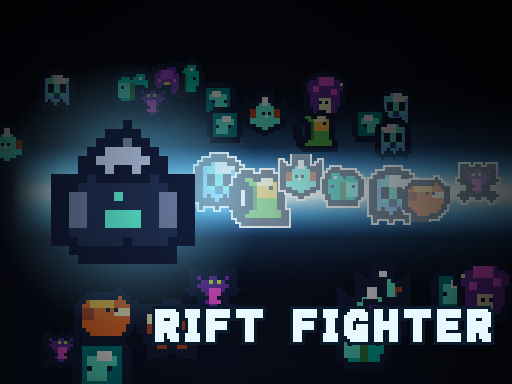
Action survivors-like where skills are executed via keyboard combo sequences (J-K-L-I) and unlocked from elite & boss skill manuals.
- Maker
- LittleOrbit
- Platforms
- Browser, iOS, Android
- Hands
- WASD Move · J K L I Combo Keys · Tab Inventory · Touch Stick + 4 Buttons
- Signature
- Fighting-game typed combo sequences
How the run actually behaves
Rift Fighter by LittleOrbit replaces passive cooldown waiting with active fighting-game inputs. Instead of watching timers tick down, you execute techniques by typing short key sequences across J, K, L, and I while weaving through the horde with WASD. A live sequence bar at the bottom of the screen tracks each keystroke so you always see how close you are to triggering a finisher.
You begin every run with the foundational Charge combo (J → K). As elites and bosses spawn, defeating them drops Skill Manuals that you inspect via Tab (Inventory) to add new multi-hit, AoE, and mobility sequences to your repertoire.
Controls that change the run
| Action | Input | Why it matters |
|---|---|---|
| Move Fighter | WASD / Arrow Keys / Left Touch Stick | Keep moving while tapping J/K/L/I—your fighter does not need to stand still to buffer combo inputs. |
| Execute Technique Combos | J, K, L, I (Rebindable) / 4 Right Touch Buttons | Watch the bottom sequence bar to confirm each step; mistyped sequences reset cleanly. |
| Starter Technique · Charge | J → K | Available from 0:00; use Charge to burst through thin wall gaps and reposition while dealing impact damage. |
| Open Inventory & Manuals | Tab Key | Check newly looted elite manuals in Tab to memorize their J/K/L/I input strings. |
| Menu Confirm / Cancel | J (Confirm) · K (Cancel) | Quickly confirm upgrades with J to return to combat. |
Rift Fighter — {game} systems, roles, and pick order
| Name | Category | Role | What to do with it |
|---|---|---|---|
| Charge (J → K) | Starter Technique | Gap Closer & Line Pierce | Unlocked from the start of every run; two-key sequence that lunges forward and clears a lane. |
| Bottom Sequence Bar | HUD Feedback | Combo Buffer Tracker | Displays your active J/K/L/I keystrokes in real time so you never guess where you are in a 3- or 4-key technique. |
| Elite & Boss Skill Manuals | Loot Progression | New Combo Unlocks | Dropped by glowing elite enemies and wave bosses; permanently adds stronger combo strings for that run. |
| Custom Key Rebinding | Control Setup | Ergonomic Optimization | Allows remapping J/K/L/I to numpad or custom keys if you prefer arcade-stick finger placement. |
Three-phase route
Opening Waves · Master J → K Charge Rhythm
Use Charge (J → K) to slice through early packs in straight lines, herding enemies into tight groups before dashing through them.
First Elite Spawns · Hunt Skill Manuals Immediately
Prioritize killing elite mobs as soon as they appear—their dropped Skill Manuals are your main power spike. Press Tab once safe to read the new key sequence.
Late Swarm · Alternate AoE Manuals with Charge Mobility
Chain wide-area manual combos when enemies surround you, then buffer J → K Charge to break out of encirclements.
Questions players actually hit
How do skills work in Rift Fighter compared to Vampire Survivors?
Instead of purely automatic timers, Rift Fighter uses fighting-game style sequences on J, K, L, and I. You start with Charge (J → K) and unlock additional combo sequences by picking up manuals dropped by elites and bosses.
Is Rift Fighter related to League of Legends: Wild Rift?
No. Rift Fighter is a standalone HTML5 horde-survival game by LittleOrbit with keyboard combo combat.
Does Rift Fighter work on touchscreen phones and tablets?
Yes. On touch devices it renders a floating movement stick on the left and four J/K/L/I technique buttons on the right.